EDI

Electronic Data Interchange (EDI)
The EDI module provides a centralized platform for managing all electronic transactions between your organization and its customers. It ensures accuracy, efficiency, and visibility across the full order-to-cash process. The module is divided into four key areas:
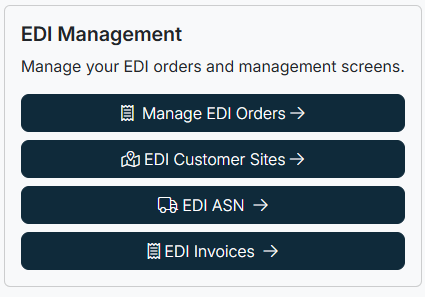
EDI Orders
Manage all incoming and active electronic orders.
- Incoming Messages: View new EDI transactions received from customers.
- Current Orders: Search, filter, and manage customer orders, including reviewing details, comparing versions, and accessing shipping, billing, and contact information.
EDI Customer Sites
Maintain and manage customer site information.
- View and edit customer IDs, branch codes, location IDs, and ship-to information.
- Ensure accurate mapping between customer systems and internal records.
EDI ASNs (Advance Ship Notices)
Track and manage shipment notifications.
- Monitor shipment details, including delivery dates, shipment dates, and notice dates.
- Confirm ASN processing status and review customer mapping for accuracy.
EDI Invoices
Access, manage, and reconcile electronic invoices.
- View processed invoices and filter by customer, site, branch, or invoice number.
- Review invoice line details, including items, quantities, prices, and totals.
Purpose of the EDI Module
The EDI module ensures seamless integration of order, shipping, and billing information between customers and your organization. By using these tools together, you can:
- Improve accuracy in transactions
- Reduce manual data entry
- Enhance visibility into the order lifecycle
- Streamline financial reconciliation
Created with the Personal Edition of HelpNDoc: Free EPub and documentation generator