EDI Customer Sites

EDI Customer Sites
Overview
The EDI Customer Sites page allows you to view and manage customer site records that are used in Electronic Data Interchange (EDI) transactions. Each site record defines important identifiers such as Customer ID, Branch Code, Location ID, and Ship To details. These mappings ensure that incoming and outgoing orders are correctly associated with the intended customer location.
This page is primarily used by administrators to validate customer data, correct unknown records, and maintain clean mappings for order processing.
Navigating to EDI Customer Sites
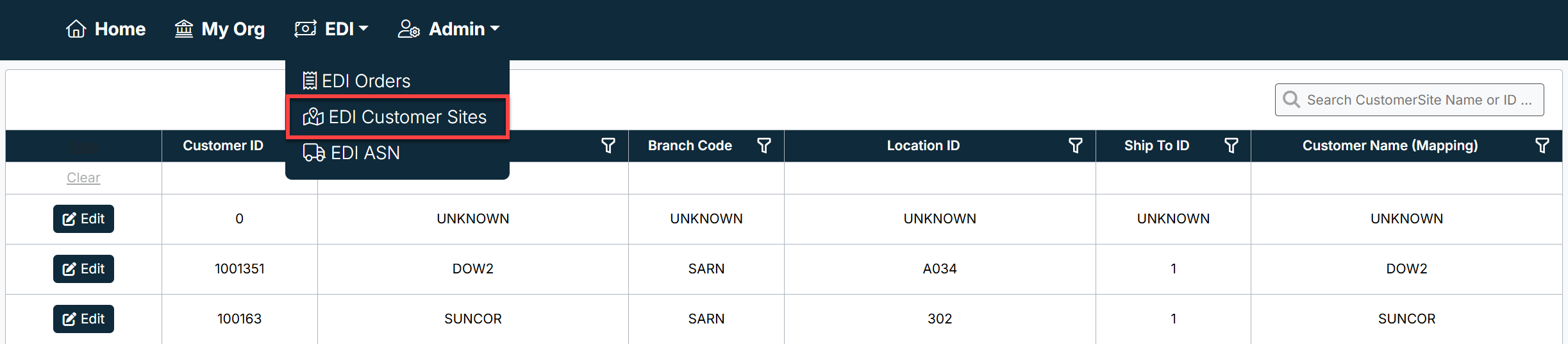
- From the top navigation bar, select EDI → EDI Customer Sites.
- The system displays a searchable and filterable grid of all customer site records.
Page Features
Search and Filters
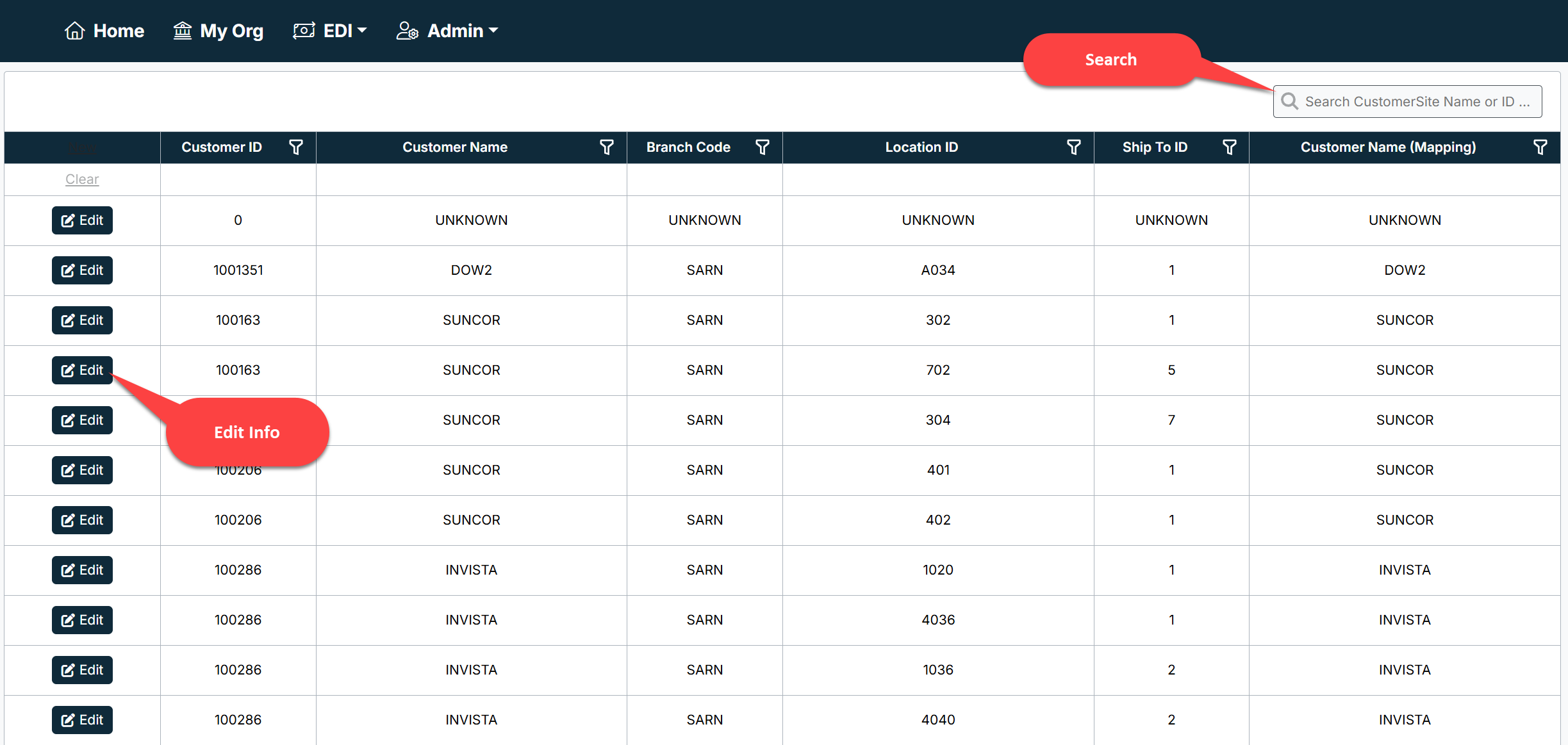
- Use the Search bar at the top-right to quickly find records by Customer Site Name or ID.
- Each column includes a filter option (funnel icon) that allows you to narrow results by Customer ID, Branch Code, Location ID, Ship To ID, or Customer Name.
Grid Columns
- Customer ID – Unique identifier for the customer.
- Branch Code – Internal branch assignment for the customer site.
- Location ID – Identifies the specific site or facility location.
- Ship To ID – Destination identifier used for shipping and fulfillment.
- Customer Name (Mapping) – Name or mapped value for the customer.
Editing Records
- Select Edit next to a row to update customer site information.
- Editable fields typically include Customer Name, Branch, Location, and Ship To details.
- Use this feature to correct UNKNOWN entries or maintain consistency across records.
Common Use Cases
- Resolving “UNKNOWN” mappings for Customer ID, Branch, or Location.
- Updating customer site data to align with new branches or locations.
- Ensuring Ship To IDs are accurate for order fulfillment.
- Verifying mappings when troubleshooting order import or processing errors.
Best Practices
- Review the EDI Customer Sites list regularly to ensure there are no “UNKNOWN” entries.
- Keep Ship To IDs synchronized with customer-provided data to avoid order fulfillment delays.
- Use filters when validating or reconciling multiple records for a single customer.
Created with the Personal Edition of HelpNDoc: Write eBooks for the Kindle