Getting Started

Getting Started
Overview
Welcome to the eCatalog Administration Portal Help Guide. This section provides the essential information you need to:
- Navigate the Admin Portal
- Manage organizational and customer data
- Monitor EDI orders
- Resolve administrative issues
The Admin Portal is a secure, role-based environment for internal users and vendor representatives to manage the configuration and content that powers the eCatalog & Drawings Online Application.
The following flow provides a quick overview of the steps required to access the eCatalog Administration Portal. Each step is described in more detail in the pages that follow.
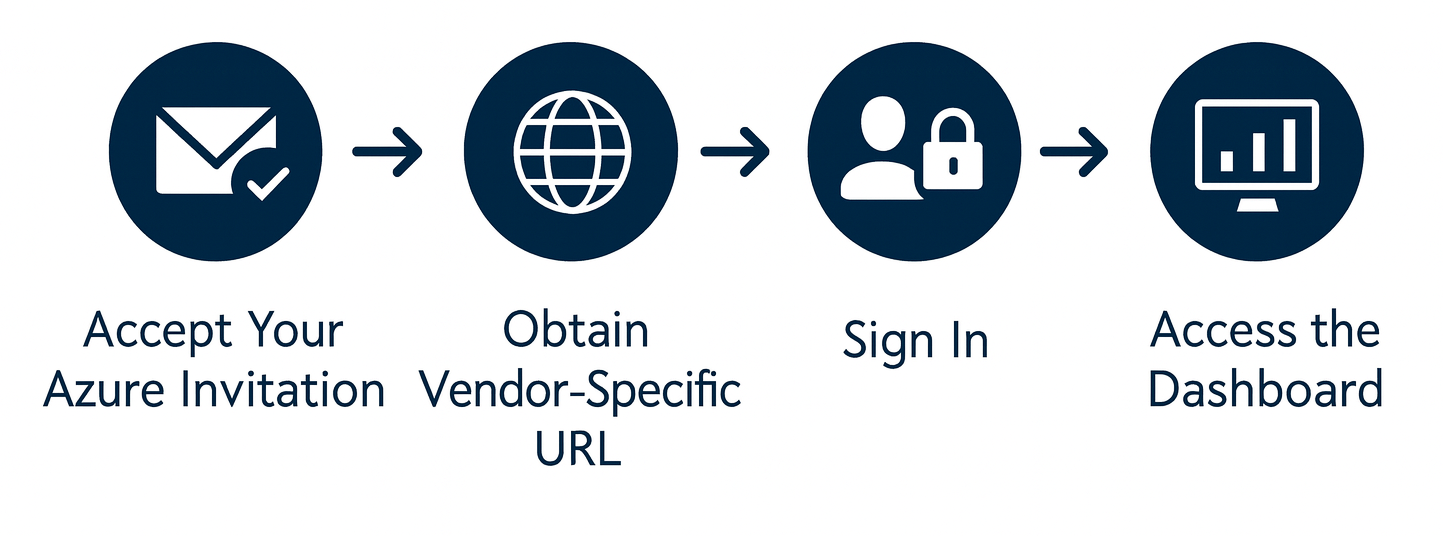
Use this chart as a reference. For detailed instructions, follow the step-by-step pages in this Getting Started section:
System Requirements (Summary)
For best performance:
- Browsers: Chrome, Firefox, Safari, Edge (latest versions)
- Mobile: Supported on tablets and large-screen devices (latest two versions of iOS/Android)
- Hardware & Network: Dual-core 1.6 GHz CPU, 4 GB RAM, 5 Mbps or higher internet connection
See System Requirements for details.
Created with the Personal Edition of HelpNDoc: Streamline your documentation process with HelpNDoc's WinHelp HLP to CHM conversion feature